Posté(e) le 12 avril 201115 a comment_333605 Voila comme promis Uploaded with ImageShack.us Uploaded with ImageShack.us Uploaded with ImageShack.us Uploaded with ImageShack.us Uploaded with ImageShack.us Signaler
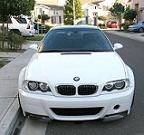
Posté(e) le 12 avril 201115 a comment_333608 Uploaded with ImageShack.us Uploaded with ImageShack.us Uploaded with ImageShack.us Ligne Gintani complete decata et X-pipe Uploaded with ImageShack.us Uploaded with ImageShack.us Uploaded with ImageShack.us M3 E46 avec turbo HPF et pneus drag, si mes souvenir sont bon c’était au alentour de 600ch aux roues Uploaded with ImageShack.us Signaler
Posté(e) le 12 avril 201115 a comment_333609 Un photographe sur le forum M3 US y est toute les semaines : - 19 mars "Wet Edition" : http://www.m3forum.net/m3forum/showthread.php?t=358809 - 12 mars "McLaren Edition" : http://www.m3forum.net/m3forum/showthread.php?t=358332 - 5 mars "Pantera Edition" : http://www.m3forum.net/m3forum/showthread.php?t=357451 - 12 fevrier "Cobra Snake" : http://www.m3forum.net/m3forum/showthread.php?t=354550 Et plein d'autres si vous cherchez Edit : Il y a parfois des voitures étonnantes : Signaler
Posté(e) le 12 avril 201115 a comment_333613 Suite non BMW Uploaded with ImageShack.us Uploaded with ImageShack.us Uploaded with ImageShack.us Uploaded with ImageShack.us Signaler




Créer un compte ou se connecter pour commenter