Aller au contenu
Voir dans l'application

Une meilleure façon de naviguer. En savoir plus.

Motorsport-Passion

Une application plein écran sur votre écran d'accueil avec notifications push, badges et plus encore.

Pour installer cette application sur iOS et iPadOS
  1. Appuyez sur le l'icône Partager dans Safari.
  2. Faites défiler le menu et appuyez sur Sur l'écran d'accueil.
  3. Appuyez sur Ajouter dans le coin supérieur droit.
Pour installer cette application sur Android
  1. Appuyez sur le menu à trois points (⋮) dans le coin supérieur droit du navigateur.
  2. Tap Add to Home screen or Install app.
  3. Confirm by tapping Install.

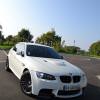
Presentation en retard de ma ///M!

Featured Replies

Posté(e)

super shooting pour une ///M qui vaut le détour :nickel:

Par contre un détail: c'est le point noir ou un moustique éclaté sur le pare-choc avant :mrgreen: franchement on ne voit que ça :lol:

post1210903879002013027.jpg

  • Réponses 99
  • Vues 9.9k
  • Création
  • Dernière réponse

Meilleurs posteurs du sujet

Images postées

Posté(e)

Très belles tes photos elle a de la gueule comme ça ta ///M :nickel: :nickel: :nickel:

Posté(e)

tu vas la rabaisser ?

Posté(e)
  • Auteur

merci, c'est bien un moustique, RIP pour lui :mad:

j'ai pas prevu de la rabaisser non, même si ca serai evidemment plus joli avec :wink:

Posté(e)

elle déchire ta ///M , les CSL :love: clair que sa change la gueule grave :nickel:

  • 4 mois plus tard...
Posté(e)
  • Auteur

hello! quelques tites new photos, histoire de!

img-366238-1-img5517k.jpg

img-366238-2-dany2p.jpg

post-121-0-76395700-1313692490.jpg

post-121-0-97204500-1313692492.jpg

post-121-0-98936700-1313692494.jpg

post-121-0-27720700-1313692497.jpg

post-121-0-00505700-1313692500.jpg

post-121-0-99758000-1313692501.jpg

post-121-0-96804300-1313692546.jpg

post-121-0-21993400-1313692589.jpg

post-121-0-52429600-1313692614.jpg

post-121-0-25066100-1313692675.jpg

post-121-0-38394900-1313692701.jpg

Posté(e)

Splendide les photos :10:

Posté(e)
  • Auteur

merci! mais apparement ca merde la sur les dernieres photos elles ne se redimensionnent plus automatiquement sur le fofo? :non:

Posté(e)

Splendide les photos :10:

Je multiple par 3 :motorsport::10::motorsport::10::motorsport::10:

Posté(e)

Vraiment superbe tes clichés :nickel7: :nickel7: :nickel7:

Posté(e)

C'est clair super clichés ;)

Posté(e)
  • Auteur

le souci a ete reglé, merci!

Posté(e)

Très belles photos :nickel2:

  • 1 mois plus tard...
Posté(e)
  • Auteur

hey par ici, jvous met une petite serie toute fraiche faite par une conaissance qui commence a toucher en photo! :)

img-375679-1-photo038hdr.jpg

img-375679-2-photo043hdr.jpg

img-375679-3-photo048hdr.jpg

photo052hdr.jpg

img-375679-5-photo082hdr.jpg

img-375679-6-photo087hdr.jpg

img-375679-7-photo093hdr.jpg

img-375679-8-photo094hdr.jpg

img-375679-9-photo099hdr.jpg

img-375679-10-photo126hdr.jpg

Posté(e)
  • Auteur

suite!

img-375681-1-photo009hdr.jpg

img-375681-2-photo037i.jpg

img-375681-3-photo055hdr.jpg

img-375681-4-photo060hdr.jpg

img-375681-5-photo075hdr.jpg

img-375681-6-photo115t.jpg

img-375681-7-photo124qv.jpg

img-375681-8-photo136hdr.jpg

img-375681-9-photo151hdr.jpg

photo205hdr.jpg

img-375681-11-photo025hdr.jpg

img-375681-12-photo035hdr.jpg

img-375681-13-photo040hdr.jpg

img-375681-14-photo041hdr.jpg

img-375681-15-photo049hdr.jpg

img-375681-16-photo050hdr.jpg

img-375681-17-photo104hdr.jpg

img-375681-18-photo127hdr.jpg

Posté(e)

il est bon ce Dan!! très beaux spots en plus!!

Posté(e)

Les photos à côté du zinc c'est de la folie :merci:

Ta voiture est vraiment très belle !

Bonne route...

Posté(e)

Toujours aussi terribles tes photos. :nickel8:

Posté(e)

Magnifique les photos :lover::nickel:

Posté(e)

Superbe auto et ne parlons pas des photos ! :ejac:

Créer un compte ou se connecter pour commenter

Compte

Navigation

Rechercher

Rechercher

Configure browser push notifications

Chrome (Android)
  1. Tap the lock icon next to the address bar.
  2. Tap Permissions → Notifications.
  3. Adjust your preference.
Chrome (Desktop)
  1. Click the padlock icon in the address bar.
  2. Select Site settings.
  3. Find Notifications and adjust your preference.